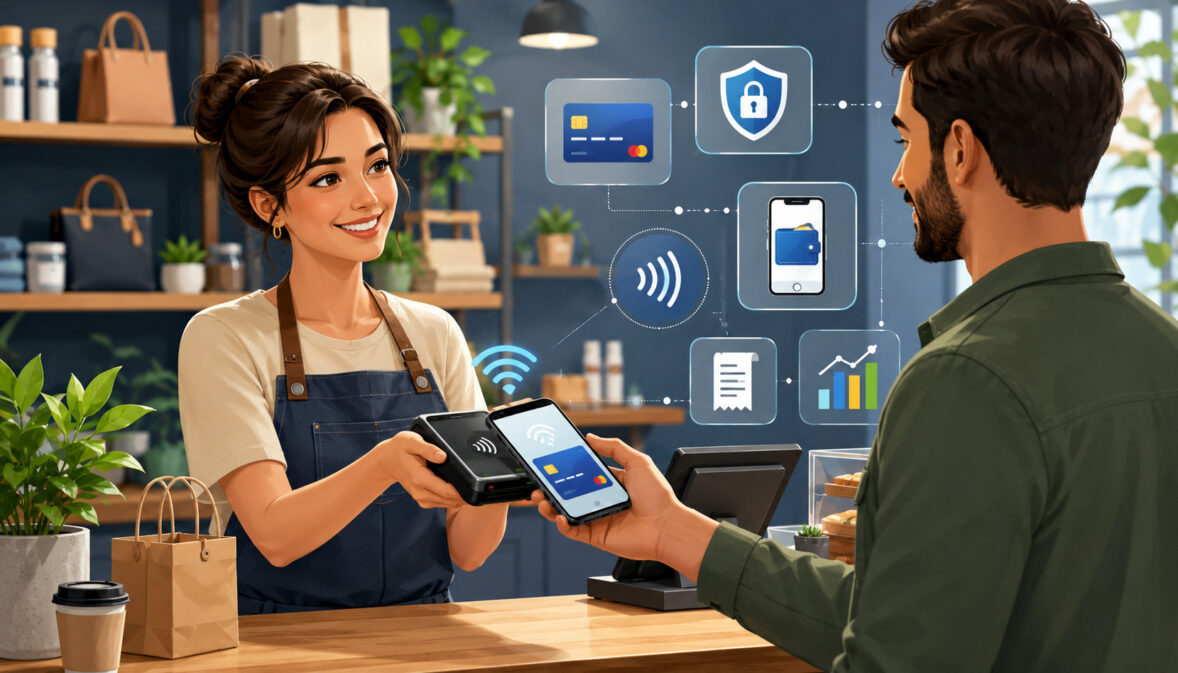
Mobile payment processing for small businesses gives owners a practical way to accept payments beyond a fixed checkout counter. Whether a business sells at markets, delivers products, visits job sites, runs a food truck, offers home services, or wants faster line-busting options inside a store, mobile payment tools can make checkout more flexible and convenient.
Customers increasingly expect to pay with credit card payments, debit card payments, digital wallets, contactless payments, QR code payments, payment links, and invoice payments. Mobile payment processing helps small businesses meet those expectations while keeping transaction records, digital receipts, sales reports, refunds, and deposits more organized.
For many small businesses, the value is not just accepting cards. It is the ability to collect payment when the customer is ready, reduce missed sales, improve cash flow visibility, and create a more professional mobile checkout experience.
The right setup can support card-present transactions, card-not-present transactions, mobile invoice payments, mobile checkout, payment reconciliation, and business scalability.
Mobile payments are not risk-free, and they do not remove every processing cost, chargeback, or fraud concern. However, when businesses understand how mobile payment technology works, what fees may apply, and how security responsibilities are shared, they can choose mobile payment solutions more responsibly.
What Is Mobile Payment Processing?
Mobile payment processing is the ability to accept and process customer payments using portable tools such as a smartphone, tablet, mobile card reader, wireless payment terminal, mobile POS system, payment app, payment link, QR code, or mobile payment gateway.
Instead of requiring every customer to pay at a fixed register, the business can collect payment wherever the sale happens.
A small retailer may use a mobile card reader during a sidewalk sale. A contractor may send a payment link after completing a job. A food truck may use a wireless payment terminal at the service window. A consultant may collect mobile invoice payments after sending a proposal. A market vendor may use a mobile payment app with a card reader and digital receipt delivery.
Mobile payment processing can support several payment types, depending on the tools selected. These may include EMV chip cards, swipe cards, tap to pay, NFC payments, contactless mobile payments, digital wallet payments, invoice payments, payment links, keyed card entries, QR code payments, and remote checkout forms.
The term also includes the behind-the-scenes services that move payments from the customer to the business. These services may involve a merchant account, payment processor, payment gateway, authorization routing, settlement, fraud controls, reporting, and deposit tracking.
Mobile payments for small businesses are especially useful when sales are not tied to one location. However, they can also help traditional stores improve checkout speed, serve customers in aisles, collect curbside payments, process returns, and support seasonal event sales.
How Mobile Payment Processing Works
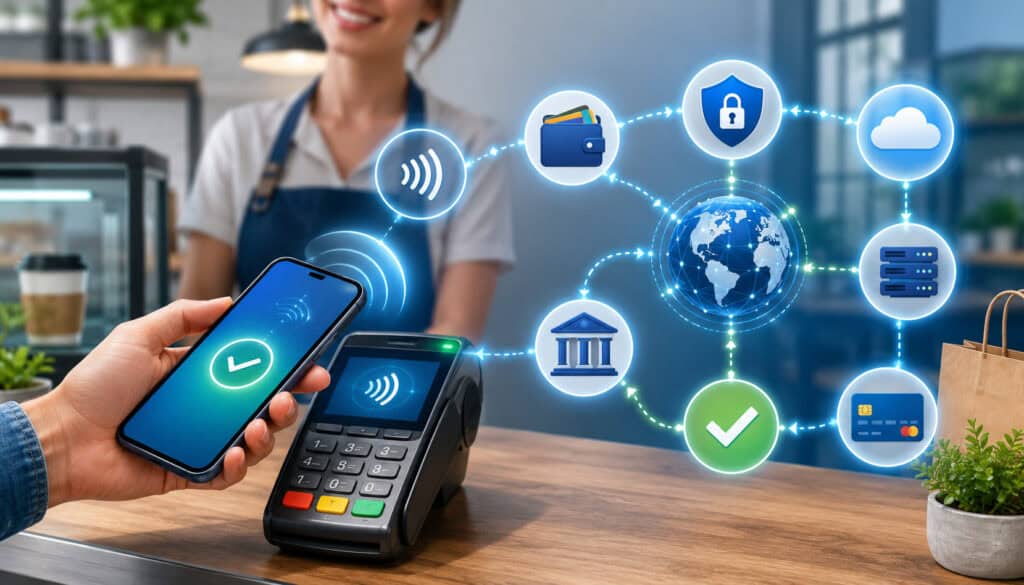
Mobile payment processing may look simple to the customer, but several steps happen in the background. A customer taps, inserts, swipes, scans, or enters payment details. The mobile payment tool captures the transaction information and sends it securely for payment authorization.
The payment processor routes the request through the proper payment network and financial institutions. The transaction is approved or declined based on available funds, card status, fraud checks, authentication rules, and other factors. If approved, the business can complete the sale and send a receipt.
After approval, transactions are captured and moved through settlement. Settlement is the process that prepares approved payments for funding. The business may see payments grouped into batches, reflected in reports, and later deposited into its bank account after fees, refunds, chargebacks, reserves, or adjustments are applied.
Mobile payment acceptance can involve card-present or card-not-present processing. Card-present mobile payments usually happen when the customer and payment method are physically present. Card-not-present mobile payments happen when payment details are entered manually, submitted through an invoice, paid through a link, or collected remotely.
Customer Starts the Payment
The customer starts the payment by presenting a payment method or entering payment details. In person, that may mean inserting an EMV chip card into a mobile payment terminal, tapping a contactless card, using a digital wallet, swiping a magnetic stripe card when allowed, scanning a QR code, or approving a tap to pay transaction.
For remote payments, the customer may click a payment link, open an invoice, submit card details through a mobile checkout page, or authorize a payment after receiving a message. These tools are useful for service providers, mobile professionals, freelancers, contractors, delivery teams, and businesses that collect deposits or balances after the sale.
At this stage, the business should make the total clear. Customers should see the amount, taxes, tips, discounts, deposits, service charges, and refund terms before paying. Clear checkout screens and digital receipts help reduce confusion later.
The Payment Is Authorized
After the payment starts, the mobile payment system sends the transaction for authorization. Authorization is the approval step that checks whether the payment can proceed. The request may move from the mobile card reader, POS app, mobile payment gateway, processor, payment network, and issuing bank before a response returns.
Security controls matter during this step. Payment data should move through secure systems that use appropriate protections such as encryption and tokenization.
The official small merchant security guide explains that encryption helps make card data unreadable to people without the proper key, and that approved secure payment terminals can reduce exposure to clear-text card data.
Authorization does not always mean the business has received the money. It means the transaction has been approved for capture and settlement. A sale may still be affected later by refunds, chargebacks, delayed settlement, account holds, or funding adjustments.
Funds Move Through Settlement
Settlement happens after approved transactions are captured and submitted for funding. Many businesses close batches automatically, while others may need to review batch settings. A batch is a group of approved transactions submitted for settlement within a certain processing window.
Once transactions settle, funds move through the payment system and are deposited into the business bank account based on the processing schedule. The deposit may not equal gross sales because processing fees, refunds, chargebacks, reserves, or adjustments may reduce the amount.
Mobile payment reports help businesses compare gross sales, net deposits, transaction fees, refund activity, and payment methods. This is important for bookkeeping and payment reconciliation. If a business accepts mobile card processing in several locations, consistent settlement reports help show which sales came from which channel.
Common Types of Mobile Payment Solutions
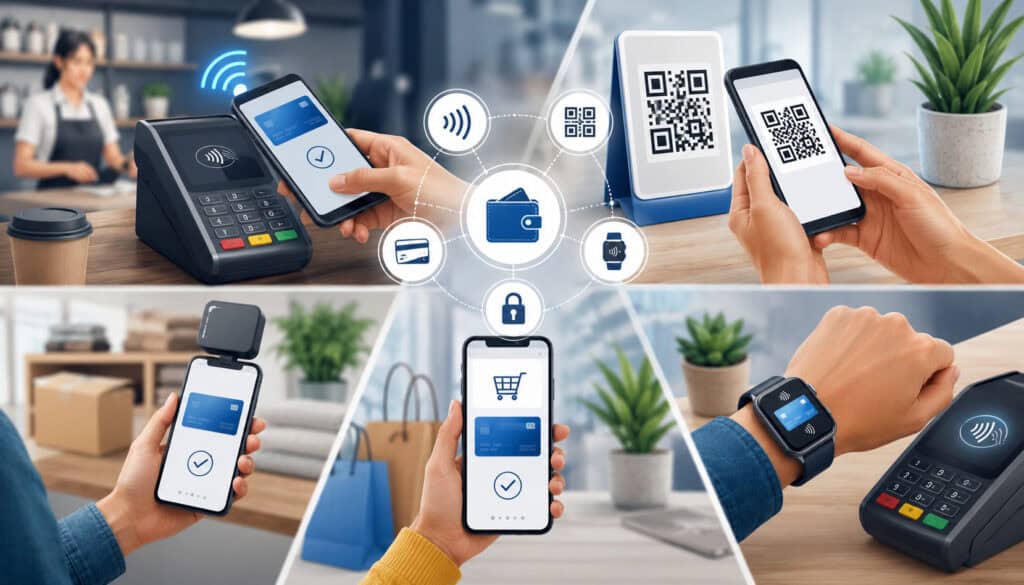
Small business mobile payments can be accepted through different tools. The right option depends on where the business sells, how customers prefer to pay, how often payments happen, whether inventory tracking is needed, and whether the business needs in-person, remote, or mixed payment acceptance.
Some businesses only need a mobile card reader and a smartphone. Others need a mobile POS system with product catalogs, taxes, tips, discounts, employee permissions, inventory tracking, and sales reports. Service businesses may need mobile invoice payments and payment links more than physical hardware.
There is no single best mobile payment solution for every business. A market vendor, retail store, restaurant, delivery service, contractor, and freelance consultant may each need a different mix of hardware, software, reporting, and security tools.
Mobile Card Readers
Mobile card readers are small devices that connect to a smartphone or tablet. They allow businesses to accept mobile credit card processing in person through chip, tap, or swipe methods, depending on device capabilities.
A mobile card reader is useful for pop-up shops, market vendors, field service providers, event sellers, tutors, repair technicians, and mobile professionals. It can be simple to carry, easy to set up, and practical for businesses that need card acceptance without a full countertop register.
The business usually uses a mobile payment app or POS app to enter the sale amount, choose items, apply taxes or tips, and send receipts. Some readers connect through Bluetooth, while others connect through a port or wireless pairing method.
When comparing card readers, businesses should review accepted payment methods, battery life, compatibility, replacement cost, receipt options, offline mode, security features, and whether the device supports EMV chip cards and contactless payments.
Wireless Payment Terminals
Wireless payment terminals are portable devices built specifically for payment acceptance. They may support chip cards, tap payments, digital wallet payments, contactless mobile payments, PIN debit, printed receipts, and wireless connectivity.
These devices are useful for restaurants, delivery businesses, curbside pickup, table-side checkout, mobile service routes, event booths, food trucks, and businesses that want a dedicated payment device instead of using a personal phone or tablet.
A wireless payment terminal may be more durable than a basic card reader. Some models include receipt printers, stronger batteries, cellular connectivity, and integrated security features. They can also help staff keep payment activity separate from personal devices.
The key consideration is fit. A business should review connectivity, payment types, tipping options, refund handling, batch reporting, device replacement costs, and whether the terminal integrates with its POS system or accounting workflow.
Mobile POS Systems
A mobile POS system combines payment acceptance with business management tools. It may include product catalogs, tax settings, discounts, tipping, staff permissions, refunds, inventory tracking, customer profiles, digital receipts, sales reports, and payment reconciliation.
Mobile POS systems are useful for retailers, restaurants, salons, service businesses, food trucks, event sellers, and mobile businesses that need more than payment collection. Instead of typing every amount manually, the business can select products or services, apply pricing rules, and track what was sold.
A mobile POS system can run on a tablet, smartphone, or dedicated handheld device. It may connect to a mobile card reader, wireless payment terminal, cash drawer, receipt printer, barcode scanner, or kitchen display.
Businesses should review whether the mobile POS system supports in-person payments, invoice payments, payment links, inventory reports, employee tracking, offline payments, customer records, taxes, tips, and integrations with bookkeeping or eCommerce tools.
Payment Links
Payment links allow a business to send a customer a checkout link by email, text, invoice, chat, or messaging platform. The customer opens the link, reviews the amount, enters payment details, and receives confirmation.
Payment links are helpful for businesses that do not always collect payment face to face. A contractor may request a deposit before starting work. A consultant may collect a project balance after approval. A mobile business may send a link when a customer is not physically present.
This option is part of card-not-present mobile payment acceptance, so businesses should understand verification, documentation, and possible fee differences. Clear descriptions, invoice numbers, customer names, and receipt records can help reduce confusion.
Payment links are flexible, but they should be used carefully. Businesses should avoid sending vague payment requests and should make sure customers understand what they are paying for before submitting payment.
Mobile Invoice Payments
Mobile invoice payments help businesses request payment for services, deposits, balances, recurring charges, retainers, or post-service bills. The business sends an invoice digitally, and the customer can pay from a phone, tablet, or computer.
This is useful for service providers, contractors, freelancers, consultants, repair businesses, appointment-based businesses, and mobile professionals. Invoices can include service details, due dates, partial payments, taxes, discounts, notes, and payment links.
Mobile invoice payments can improve cash flow because customers can pay without mailing checks, visiting an office, or waiting for a fixed checkout counter. They also create a record of the amount requested, amount paid, payment date, and outstanding balance.
Businesses should review invoice customization, payment reminders, receipt delivery, recurring billing controls, refund options, card-on-file rules, and reporting features before using mobile invoices as a regular payment method.
Tap to Pay and Contactless Payments
Tap to pay and contactless payments allow customers to pay by tapping a supported contactless card or digital wallet on compatible mobile hardware. These transactions use NFC payments, which allow short-range communication between the payment method and the payment device.
Contactless mobile payments can speed up checkout at markets, restaurants, events, food trucks, service counters, and pop-up locations. Customers do not need to hand over a card or wait for a manual entry process.
Some setups use a mobile payment terminal, while others may allow supported smartphones or tablets to accept tap payments directly. The exact setup depends on hardware, software, device compatibility, and processor support.
Businesses should still provide clear totals and receipts. Fast checkout is helpful, but customers need confidence that the amount, tip, taxes, and receipt details are accurate.
QR Code Payments
QR code payments use a scannable code that directs customers to a mobile checkout page, invoice, menu, order form, or payment screen. The customer scans the code with a smartphone and completes the payment through a secure page.
QR payments can be useful at events, food trucks, market booths, tables, delivery drop-offs, appointment settings, and service locations. They can reduce hardware needs because the customer uses their own device to open the payment page.
However, QR payment flows should be designed carefully. Customers should know where the code leads, what amount they are paying, and whether the page is secure. Businesses should inspect printed codes regularly to make sure they have not been replaced or tampered with.
QR code payments can support mobile checkout, digital receipts, and remote payment collection, but they may depend heavily on internet connection quality and customer device comfort.
Mobile Payment Solution Comparison Table
The table below compares common mobile payment solutions for small businesses. It is not a recommendation for a specific provider. It is a practical way to compare use cases, hardware needs, customer experience, reporting features, and key considerations.
| Mobile payment solution | Best use case | Payment method | Hardware needed | Customer experience | Reporting features | Key consideration |
| Mobile card reader | Markets, pop-ups, service calls, small retail setups | Chip, swipe, tap, digital wallets | Smartphone or tablet plus reader | Fast in-person checkout | Basic sales, refunds, receipts, payment methods | Check device compatibility and battery life |
| Wireless payment terminal | Food trucks, delivery, table-side checkout, curbside sales | Chip, PIN, tap, digital wallets | Dedicated wireless terminal | Familiar card-present checkout | Batch reports, receipts, settlement activity | Review connectivity and receipt options |
| Mobile POS system | Retail, restaurants, events, inventory-based selling | Cards, digital wallets, cash tracking, invoices | Tablet, phone, reader, optional accessories | Organized checkout with itemized receipts | Sales reports, products, taxes, tips, staff activity | Compare software features and subscription costs |
| Payment links | Remote sales, deposits, custom orders, service balances | Card-not-present payments | No card reader required | Customer pays from a secure link | Paid, unpaid, refunded, and outstanding payment records | Use clear descriptions and authorization records |
| Mobile invoice payments | Contractors, freelancers, service businesses | Invoice-based card payments | No terminal required | Customer pays after receiving invoice | Invoice status, due dates, partial payments, reminders | Understand card-not-present fees and dispute records |
| Tap to pay | Fast in-person checkout, lines, events, food service | Contactless cards and digital wallets | Compatible mobile hardware | Quick tap-based payment | Transaction reports and receipts | Confirm device and software support |
| QR code payments | Events, tables, deliveries, self-service checkout | Mobile checkout through scanned code | Printed or displayed QR code | Customer scans and pays on own device | Checkout records and receipt history | Protect QR codes from tampering |
Benefits of Mobile Payments for Small Businesses
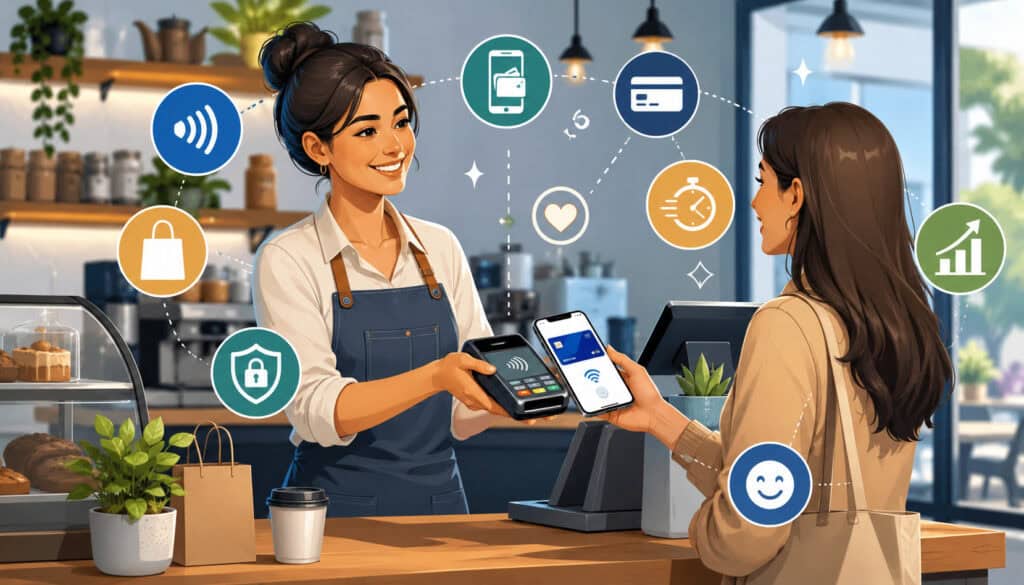
Small business mobile payments can improve flexibility, checkout speed, customer convenience, and recordkeeping. For businesses that sell away from a counter, mobile payment technology may be the difference between completing a sale immediately and hoping the customer pays later.
Mobile payment processing can support more payment methods, including credit card payments, debit card payments, digital wallets, contactless payments, mobile invoice payments, and payment links. This gives customers more ways to pay and helps businesses reduce dependence on cash or checks.
Mobile payments can also improve cash flow visibility. Digital transaction records show what was paid, when it was paid, how it was paid, whether a refund was issued, and when the deposit should arrive. That information supports payment reconciliation and bookkeeping.
For event sellers, contractors, mobile service providers, market vendors, restaurants, and delivery businesses, mobile business payments can reduce missed sales. If a customer is ready to pay at the point of service, the business can collect payment before delays, forgotten invoices, or follow-up issues occur.
More Flexible Payment Acceptance
Mobile payment tools allow businesses to accept payments at job sites, customer homes, offices, markets, events, deliveries, curbside pickups, pop-up shops, and service appointments. This flexibility is valuable for businesses that do not operate from one fixed checkout station.
A repair technician can collect payment after completing work. A fitness instructor can accept payment after a private session. A market vendor can take card payments at a booth. A mobile pet care provider can send an invoice after an appointment.
Payment processing for mobile businesses also supports mixed sales models. A business may accept in-person mobile card processing during events, send payment links for deposits, and use invoice payments for larger balances.
The main benefit is control. Instead of forcing every customer into one payment routine, businesses can match payment acceptance to how they actually sell.
Better Customer Convenience
Customers often prefer payment options that feel quick, familiar, and secure. Mobile payment solutions can support tap to pay, contactless mobile payments, digital wallet payments, card payments, invoice payments, and mobile checkout links.
Convenience matters because payment friction can delay or interrupt a sale. If a customer wants to pay by card but the business only accepts cash, the sale may be lost. If a service customer wants to pay from a phone but receives a confusing invoice, payment may be delayed.
Mobile payment acceptance can also create a smoother customer experience. Digital receipts can be sent by email or text, totals can be shown before payment, and customers can pay at the table, booth, delivery location, or job site.
A convenient experience does not mean rushing customers. Businesses should still display totals clearly, confirm tips or added charges, and provide receipts that customers can keep.
Improved Sales Tracking
Mobile payment reports can help businesses track daily sales, refunds, taxes, tips, employee activity, payment methods, products sold, and transaction history. This is especially useful when sales happen in several places.
A business selling at a market may need to know which products sold fastest. A restaurant using table-side checkout may need to track tips and order totals. A contractor may need to identify which invoices are paid, unpaid, or partially paid.
Sales tracking also helps with reconciliation. Businesses can compare POS app reports, mobile payment app records, batch reports, bank deposits, refunds, chargebacks, and accounting entries.
Better records can improve decision-making. Owners can see peak sales periods, popular items, refund patterns, payment method trends, and cash flow timing.
Mobile Payment Processing Fees and Costs
Mobile payment processing fees can vary by setup, transaction type, pricing model, hardware, software, and risk profile. Businesses should review the total cost of mobile merchant services rather than focusing only on one advertised transaction rate.
Common costs may include transaction fees, monthly account fees, gateway fees, keyed payment fees, chargeback fees, refund fees, PCI-related fees, equipment costs, replacement device costs, software subscriptions, add-on features, batch fees, and integration fees. Some costs are transaction-based, while others are fixed or optional.
The true cost of mobile payment processing depends on how the business accepts payments. In-person chip and tap transactions may be treated differently from manually entered, invoiced, linked, or remote card-not-present transactions. A business with many small transactions may feel per-transaction fees more than a business with fewer larger payments.
A useful fee review includes statement analysis, effective rate calculation, and deposit matching. A merchant statement audit can help identify transaction costs, account fees, gateway fees, batch fees, chargeback fees, and settlement differences.
Card-Present Mobile Payment Fees
Card-present mobile payment fees usually apply when the customer and payment method are physically present. Examples include chip card payments through a reader, tap to pay transactions, contactless card payments, and digital wallet payments accepted at a mobile terminal.
These transactions may be treated differently from manually keyed payments because the payment method is presented directly at the time of sale. EMV chip cards and contactless payments can provide stronger transaction data than a card number typed into an app.
Businesses should still review how card-present mobile payments are priced. Fees may include a percentage, a per-transaction cost, network-related costs, processor markup, and device or software fees.
For accurate cost review, compare card-present volume, transaction count, average ticket, refunds, and batch activity. This helps determine whether the mobile payment setup fits the business’s sales pattern.
Card-Not-Present Mobile Payment Fees
Card-not-present mobile payment fees apply when the customer or card is not physically present at the point of payment. Examples include keyed entries, payment links, mobile invoice payments, remote checkout forms, and phone-based payment requests.
These transactions can carry different risk because the card is not being tapped, inserted, or read directly by a payment device. Businesses may need stronger verification, clearer customer authorization, accurate billing details, and better documentation.
Card-not-present payments are useful for contractors, freelancers, service businesses, delivery businesses, and mobile professionals. However, they should not be treated the same as in-person mobile card processing.
Businesses should review fees, fraud controls, refund rules, receipt delivery, dispute documentation, and customer communication procedures before relying heavily on remote mobile payment acceptance.
Hardware and Software Costs
Mobile payment hardware may include card readers, wireless payment terminals, tablets, smartphones, stands, cases, chargers, receipt printers, barcode scanners, cash drawers, and backup batteries. Some businesses need only one small reader, while others need multiple devices for staff or events.
Software costs may include POS app subscriptions, invoicing tools, inventory features, reporting dashboards, employee permissions, loyalty tools, online ordering, recurring billing, payment gateway access, or accounting integrations.
Businesses should review both upfront and ongoing costs. A low-cost reader may be appealing, but the business may later need paid features, replacement devices, faster support, advanced reports, or integrations.
Mobile Payment Security for Small Businesses
Security matters whenever a business accepts mobile payments. Payment data moves through devices, networks, apps, processors, gateways, and financial systems. A weak device, shared password, outdated app, unsecured network, or poor staff practice can increase risk.
Mobile payment security may include encryption, tokenization, PCI compliance practices, secure networks, device locks, user permissions, software updates, fraud monitoring, clear receipts, and careful transaction review. The goal is to reduce exposure to sensitive payment data and build customer trust.
Small businesses should understand that outsourcing payment processing does not remove every responsibility. The official payment security standards organization offers small merchant resources and guidance for safer payment acceptance.
This section is educational and should not be treated as legal, compliance, or financial advice. Businesses should consult qualified professionals or official resources when they need compliance guidance specific to their operations.
Encryption and Tokenization
Encryption helps protect payment data by making sensitive information unreadable to unauthorized parties during storage or transmission. In mobile payment processing, encryption can help reduce the risk that card data is exposed while it moves through payment devices, apps, networks, and processing systems.
Tokenization replaces sensitive payment details with a token that can be used for payment-related functions without exposing the original card data. This is especially helpful for recurring billing, card-on-file tools, digital wallet payments, and systems that need to reference a payment method later.
The official small merchant security guide explains that encryption can protect stored and transmitted data, and that secure payment terminals can reduce exposure to payment-terminal attacks.
Businesses should ask how a mobile payment solution protects card data, whether sensitive information is stored on the device, and what security responsibilities remain with the business.
PCI Compliance Basics
PCI compliance refers to security standards for organizations that store, process, or transmit cardholder data. Small businesses that accept card payments should understand which responsibilities apply to their payment setup.
Mobile payment processing can reduce some security burden when businesses use approved devices and secure payment tools, but businesses still need good practices. These may include using secure passwords, restricting access, updating devices, avoiding unsafe networks, and completing required validation steps.
The PCI Security Standards Council provides merchant resources and a small merchant guide to safe payments, including security concepts such as encryption and safer payment terminals.
A business should not assume compliance is automatic. It should confirm responsibilities with its payment provider, review official guidance, and keep payment-related documentation organized.
Device and Account Security
Mobile payment devices should be treated as business tools, not casual personal devices. A smartphone, tablet, or wireless terminal used for payment acceptance should have a screen lock, strong password, updated software, secure app access, and controlled user permissions.
Businesses should avoid sharing one login across all staff. Individual user accounts make it easier to track refunds, voids, discounts, tips, and unusual activity. Staff should only have access to the features they need.
Device security also includes physical control. Card readers and terminals should be stored safely, inspected regularly, charged before use, and removed from service if damaged or suspicious.
Account security is just as important. Businesses should use strong login credentials, avoid reused passwords, enable available security settings, and remove access when employees leave.
Fraud Prevention for Mobile Payments
Fraud prevention for mobile payments starts with careful transaction habits. Businesses should check totals, confirm customer authorization, send receipts, monitor unusual payment patterns, and document customer communication.
For in-person transactions, chip and tap methods are generally stronger than manually entered card details. For remote payments, businesses should use clear invoices, accurate customer information, payment descriptions, and authorization records.
Chargebacks can occur when customers dispute transactions. Businesses should keep receipts, signed agreements, service records, delivery proof, refund policies, and communication history where appropriate. A dispute resolution guide can help businesses understand why organized records matter.
Fraud controls should not make checkout difficult for honest customers, but they should reduce preventable risk. Clear billing descriptors, transparent policies, and responsive service can also help prevent misunderstandings.
Mobile Payment Processing for Different Business Types
Mobile payment processing for small businesses works differently depending on the business model. A retail shop may need product-level reporting and inventory tools. A contractor may need deposits, invoices, and payment links. A food truck may need fast contactless payments and tipping. A market vendor may need a reliable card reader and offline planning.
The best mobile payment solutions match the sales environment, customer expectations, transaction volume, average ticket size, risk level, and reporting needs. A business should avoid choosing tools based only on popularity or price.
Payment processing for mobile businesses should also fit how payments are documented. Service businesses need job records and invoices. Event sellers need quick checkout and product summaries. Delivery businesses need transaction history tied to routes or orders. Retailers need inventory and return tracking.
Retail Stores and Pop-Up Shops
Retail stores can use mobile payment processing for line busting, curbside checkout, pop-up sales, seasonal events, outdoor promotions, and in-aisle purchases. Instead of sending every customer to one register, staff can complete transactions where the customer is ready.
A mobile POS system can help retailers track items, taxes, discounts, refunds, and digital receipts. For inventory-based businesses, product-level reporting is more useful than typing only a total amount into a payment app.
Pop-up shops also benefit from portability. A mobile card reader, tablet, wireless payment terminal, and backup battery may be enough for temporary selling environments.
Retailers should check whether the mobile setup syncs with inventory, customer records, refund rules, and sales reports. Without integration, staff may need to enter sales manually later.
Restaurants and Food Businesses
Restaurants and food businesses can use mobile payments for table-side checkout, tips, delivery payments, food truck sales, outdoor events, catering deposits, and mobile ordering. Speed matters because long lines can reduce sales during busy periods.
A mobile payment terminal or mobile POS system can help food businesses accept chip cards, contactless payments, digital wallet payments, and tips. Digital receipts can reduce paper handling and help customers keep records.
Food trucks and event food vendors should pay special attention to internet reliability, battery life, weather protection, and easy tip prompts. A payment device that works well inside a building may not perform the same way outdoors.
Restaurants should also consider order accuracy, tip reporting, refunds, split payments, and staff permissions when choosing mobile payment technology.
Service Businesses
Service businesses often collect payments at customer homes, offices, appointments, job sites, or after completing work. Mobile payment processing makes it easier to request payment while the service is fresh in the customer’s mind.
A service provider may use a mobile card reader for in-person payment, a payment link for deposits, or mobile invoice payments for balances. This flexibility supports appointment-based businesses, repair providers, cleaning services, consultants, tutors, wellness professionals, and mobile technicians.
Service businesses should use clear descriptions on invoices and receipts. Customers should know what service was performed, what amount was charged, and how to contact the business with questions.
Good records can also help with refunds, disputes, tax reporting, and payment reconciliation. A professional receipt can strengthen customer trust.
Contractors and Field-Based Businesses
Contractors and field-based businesses may need deposits, progress payments, final balances, change-order payments, and emergency service payments. Mobile payment solutions can support these needs through invoices, payment links, mobile card processing, and card-on-file tools where appropriate.
A contractor may collect a deposit before ordering materials, send a payment link after a project milestone, or accept a card payment at the job site. This can reduce delays compared with waiting for mailed checks or manual follow-up.
Documentation is especially important. The invoice should describe the work, amount due, payment terms, and any deposit or balance arrangement. Receipts should match the customer agreement.
Contractors should also review transaction limits, card-not-present fees, chargeback exposure, refund policies, and authorization records before accepting large project payments through mobile tools.
Farmers Markets, Events, and Trade Shows
Farmers markets, events, and trade shows are common environments for mobile payment acceptance. Vendors need quick checkout, portable hardware, simple receipts, and reliable payment records.
A mobile card reader or wireless payment terminal can help vendors accept credit card payments, debit card payments, contactless payments, and digital wallet payments. QR code payments may also help when checkout lines are long or hardware access is limited.
Temporary selling environments require planning. Vendors should bring charged devices, backup power, extra receipt options, price lists, and a fallback process for weak connectivity.
Event sellers should also track products sold, taxes, refunds, and end-of-day totals. A mobile POS system can help if the vendor needs more than basic payment collection.
Delivery and Mobile Businesses
Delivery businesses and mobile operators need payment options that work away from a fixed location. These may include wireless payment terminals, payment links, mobile invoice payments, QR payments, or in-app mobile checkout.
The key is tying each payment to the correct order, customer, route, or delivery record. Without organized reporting, it can be difficult to reconcile payments at the end of the day.
Delivery teams should also protect payment devices in transit. Devices should be assigned, tracked, charged, updated, and returned securely. User permissions can help limit access to refunds or administrative settings.
Customer communication matters too. Customers should receive confirmation, receipts, and clear instructions if they need to pay through a link or invoice after delivery.
Mobile Payment Processing vs Traditional POS Systems
Mobile payment processing is designed for flexibility. Traditional POS systems are usually built around a fixed counter, cash drawer, receipt printer, countertop terminal, and larger checkout station. Both can be useful, and many businesses use both depending on where sales happen.
A traditional POS setup may be better for high-volume counter checkout, complex inventory, cash management, barcode scanning, staff shifts, and receipt printing. A mobile POS system may be better for table-side checkout, event sales, curbside pickup, pop-ups, service calls, and sales away from a register.
Mobile payment tools may cost less to start, but businesses should compare total costs. A simple card reader may not include advanced reporting, inventory management, accounting integration, employee controls, or customer management. A more complete mobile POS system may involve software fees.
The customer experience also differs. Traditional POS systems can feel familiar at a counter. Mobile checkout can feel faster and more personal when staff meet customers where they are. However, mobile checkout should still show totals clearly and provide receipts.
Connectivity is another factor. Traditional systems may rely on stable store internet, while mobile payment tools may rely on Wi-Fi, cellular data, Bluetooth, or offline mode. Businesses that sell outdoors or travel should test reliability before depending on one device.
Scalability matters. A new vendor may start with one mobile card reader. Later, the same business may need multiple devices, staff logins, inventory reports, online payments, invoices, and accounting integrations. Choosing tools that can grow with the business can reduce future disruption.
Card-Present vs Card-Not-Present Mobile Payments
Mobile payment processing includes both card-present and card-not-present transactions. Understanding the difference helps businesses compare fees, risk, documentation, fraud controls, and customer verification needs.
Card-present mobile payments happen when the customer and payment method are physically present. The customer may insert a chip card, tap a contactless card, use a digital wallet, or swipe where permitted. These transactions are common at markets, job sites, food trucks, tables, pop-ups, and mobile checkout stations.
Card-not-present mobile payments happen when payment details are entered remotely or manually. Examples include mobile invoice payments, payment links, keyed card entries, phone orders, and online mobile checkout forms. These payments can be convenient but may require stronger records and verification.
Businesses should not treat both categories the same. Fees, dispute risk, fraud exposure, and authorization data may differ. Clear receipts, customer records, billing details, service documentation, and refund policies are especially important for remote payments.
Card-Present Mobile Payments
Card-present mobile payments are used when the customer and payment method are physically present. The business may use a mobile card reader, wireless payment terminal, or mobile POS system to accept chip, tap, swipe, or digital wallet payments.
These payments are common for retailers, restaurants, food trucks, event sellers, service providers, delivery businesses, and market vendors. They create a faster checkout experience because the customer can pay immediately.
Card-present transactions can also provide stronger payment data than manual entry. EMV chip cards and contactless payment methods can help reduce certain fraud risks compared with keyed card details.
Businesses should still send receipts, show totals clearly, and train staff to avoid unnecessary manual entry. If a chip or tap method is available, it is often better to use it instead of typing card numbers.
Card-Not-Present Mobile Payments
Card-not-present mobile payments are used when the customer or card is not physically present at the payment device. Examples include payment links, mobile invoice payments, keyed entries, remote checkout pages, and phone-based payment requests.
These payments are useful for deposits, service balances, custom orders, delivery payments, and remote work. They help businesses collect payment without requiring the customer to be at a register or job site.
Because the card is not being read directly, documentation matters. Businesses should keep invoices, payment authorizations, receipts, customer communication, service records, delivery confirmation, and refund notes.
Card-not-present payments may have different fees and risk controls. Businesses should review billing address tools, customer verification options, dispute procedures, and chargeback documentation before using them regularly.
How Mobile Payments Affect Cash Flow and Reporting
Mobile payment processing can improve cash flow visibility by giving businesses digital records of sales, refunds, fees, deposits, and payment methods. Instead of relying only on handwritten receipts or manual notes, owners can review transaction history and deposit activity from payment reports.
This matters because approved payments do not always appear in the bank account immediately. Settlement timing, batch cutoffs, weekends, holidays, refunds, chargebacks, reserves, and processor rules can affect when money is available.
Mobile payment reports can help businesses manage cash flow by showing gross sales, net deposits, payment method totals, invoice status, refunded transactions, and pending settlement activity. These reports can also support tax preparation, bookkeeping, inventory planning, and staff accountability.
Payment reconciliation is the process of comparing payment records to bank deposits and accounting entries. Without reconciliation, a business may not notice missing deposits, duplicate refunds, chargebacks, fee changes, or reporting errors.
Settlement Timing
Settlement timing affects when approved mobile transactions reach the business bank account. A customer may receive an approved message immediately, but the business may see funds later depending on batch timing, processing rules, and bank activity.
Some mobile payment tools batch transactions automatically, while others allow manual batch close settings. If a batch closes after a cutoff time, funding may move to a later deposit cycle.
Businesses should understand their settlement schedule and avoid assuming every approved payment is instantly available. This is especially important for businesses with payroll, inventory purchases, vendor bills, or daily cash flow needs.
Settlement reports should be reviewed regularly. They help connect sales activity to actual deposits and show whether refunds, fees, chargebacks, or adjustments affected the final amount.
Digital Receipts and Transaction Records
Digital receipts and transaction records help businesses answer customer questions, process refunds, respond to disputes, and reconcile payments. Receipts may include business name, date, amount, payment method, items or services, taxes, tips, and authorization details.
For mobile businesses, digital records are especially helpful because payments may happen across several locations. A contractor, market vendor, delivery team, or event seller may need to identify where and why a transaction occurred.
Receipts also build customer trust. When customers receive confirmation by email or text, they are less likely to wonder whether a payment went through.
Businesses should make receipt delivery part of the checkout routine. Staff should confirm the customer’s preferred receipt method and ensure the sale description is clear.
Payment Reconciliation
Payment reconciliation means comparing mobile payment reports, POS reports, invoices, refunds, chargebacks, fees, and bank deposits. This process helps businesses confirm that the money collected matches the money received.
A basic reconciliation process may include reviewing daily sales, checking batch totals, comparing deposit amounts, identifying fees, matching refunds, and recording chargebacks. The goal is not only accounting accuracy, but also better control over cash flow.
Businesses with multiple mobile devices should track activity by device, staff member, location, or event. This makes it easier to find discrepancies.
Regular reconciliation can also reveal operational issues. For example, frequent keyed entries may raise costs, missed batches may delay deposits, and unclear descriptors may contribute to disputes.
Offline Payments and Connectivity Considerations
Mobile payment processing depends on reliable devices and connections. Businesses that sell away from a fixed location should plan for weak Wi-Fi, poor cellular service, low batteries, Bluetooth issues, app downtime, terminal connection errors, or damaged hardware.
Some mobile payment solutions offer offline payment options. Offline mode may allow the business to capture payment details when there is no connection and submit them later. This can be useful, but it also carries risk because the transaction may be declined after the customer leaves.
Connectivity planning is important for food trucks, market vendors, event sellers, delivery businesses, contractors, mobile service providers, and outdoor retailers. A business should test its payment setup in the actual sales environment before relying on it.
Backup plans may include a second device, backup battery, paper receipt pad, hotspot, alternate payment link option, QR code checkout, or a process for contacting customers if a delayed payment fails.
Internet and Device Reliability
Internet and device reliability should be tested before sales begin. A mobile payment system may work in an office but fail at an outdoor market, basement venue, rural job site, or crowded event.
Businesses should charge devices, update apps, pair card readers, test terminals, confirm login access, and process a small test transaction when appropriate. Staff should know what to do if a reader disconnects or a terminal freezes.
Backup equipment can prevent lost sales. Extra chargers, power banks, a secondary reader, spare receipt paper, and a reliable mobile data option can help.
Device care also matters. Readers and terminals should be protected from heat, moisture, drops, and unauthorized access. A damaged device can create checkout delays and security concerns.
Offline Payment Risks
Offline payments can be helpful during connection problems, but they should be handled carefully. Because authorization may be delayed, the business may not know immediately whether the payment will be approved or declined.
This creates risk. A customer could leave with goods or receive services before the payment is confirmed. If the transaction later fails, the business may need to contact the customer or absorb the loss.
Offline payments may also have limits, rules, or eligibility requirements. Businesses should understand whether offline mode is available, how long transactions can remain offline, and what happens if authorization fails.
For higher-value transactions, businesses may prefer safer fallback options such as payment links, deposits, verified invoices, or waiting for connectivity before completing the sale.
How to Choose Mobile Payment Solutions
Choosing mobile payment solutions requires more than comparing headline rates. A business should consider sales environment, transaction volume, average ticket size, customer preferences, hardware needs, software features, mobile payment app usability, reporting, security, support, integrations, and scalability.
Start with the business model. A food truck needs fast checkout, tips, durable hardware, and reliable wireless connectivity. A contractor may need invoices, deposits, payment links, and clear job records. A retailer may need inventory tracking, returns, barcode scanning, and product reports.
Next, review payment methods. The solution should support the payment types customers actually use, such as credit cards, debit cards, digital wallets, tap to pay, contactless payments, payment links, and invoices.
Businesses should also review onboarding requirements. A merchant account setup checklist can help owners understand documents, business details, bank information, processing needs, and underwriting items that may be requested.
Match the Tool to Your Sales Environment
A food truck, service technician, pop-up vendor, retail store, and delivery business may all need different mobile payment features. The right tool should match how, where, and when customers pay.
A food truck may need fast tap payments and tip prompts. A contractor may need invoices and deposits. A retailer may need a mobile POS system with inventory. A delivery team may need route-based records and portable terminals.
The sales environment also affects hardware. Outdoor sellers need strong batteries and reliable connectivity. Restaurants may need table-side terminals. Service businesses may prefer payment links and mobile invoice payments.
Before choosing, map the payment journey from customer request to receipt delivery. This helps identify whether the business needs hardware, software, invoices, reporting, or integrations.
Review Total Cost
Total cost includes more than transaction fees. Businesses should review monthly fees, hardware costs, software subscriptions, gateway fees, chargeback fees, refund rules, PCI-related fees, replacement devices, integration costs, and support charges.
A tool that looks inexpensive at first may become costly if advanced reports, invoices, inventory, staff controls, or multiple devices require paid add-ons. A higher-cost tool may be worthwhile if it reduces manual work and improves reconciliation.
Businesses should calculate the all-in cost based on expected sales volume and transaction count. A low average ticket business may be affected heavily by per-transaction fees, while a high-ticket service business may focus more on percentage-based costs and dispute exposure.
Statement reviews can help businesses understand processing costs over time. Internal resources on payment processing challenges and merchant statement audits can support a better cost review process.
Check Reporting and Integration Needs
Reporting and integrations are essential for businesses that need organized records. Mobile payment reports may show sales totals, taxes, tips, refunds, payment methods, invoice status, employee activity, deposits, and chargebacks.
Retailers may need inventory reports. Restaurants may need tip and staff reports. Contractors may need invoice and project records. Event sellers may need product and location-based reports.
Integrations can reduce manual entry. A mobile payment solution may connect with accounting software, inventory tools, online ordering, eCommerce systems, scheduling software, or customer management tools.
Businesses should ask whether reports can be exported, filtered, and matched to bank deposits. Reporting that looks attractive but does not support reconciliation may create extra work.
Consider Customer Experience
Customer experience is central to mobile payment acceptance. Customers should be able to pay quickly, securely, and confidently. They should see the total, understand what they are paying for, choose a receipt method, and complete the transaction without unnecessary confusion.
A mobile checkout experience should work well on small screens. Payment links and invoices should be easy to open, read, and pay. In-person devices should be clean, functional, and professional.
Customers also care about payment choice. Supporting cards, digital wallets, contactless payments, and invoice options can reduce friction.
However, convenience should not weaken controls. Businesses should still verify amounts, document payments, provide receipts, and protect customer data.
Mobile Payment Processing Feature Checklist
The checklist below can help businesses compare mobile payment processing options before choosing a provider, app, reader, terminal, or mobile POS system.
| Feature | Why it matters | Questions to ask |
| Mobile card reader support | Enables in-person mobile card processing | Does it support chip, swipe, and tap? |
| Contactless payments | Speeds up checkout | Does it support NFC payments and digital wallets? |
| Mobile payment app | Controls checkout flow | Is the app easy for staff to use? |
| Mobile POS system | Adds product, tax, tip, and receipt tools | Does it track items, discounts, and refunds? |
| Payment links | Supports remote payment collection | Can links be sent by text, email, or invoice? |
| Mobile invoice payments | Helps service businesses collect balances | Can invoices show deposits, due dates, and partial payments? |
| Digital receipts | Supports customer trust and records | Can receipts be sent by email or text? |
| Taxes and tips | Helps with accurate checkout | Can taxes and tips be configured correctly? |
| Refunds and voids | Supports customer service | Are permissions and records clear? |
| Offline mode | Helps during connectivity issues | What risks and limits apply? |
| Inventory tools | Helps retailers and vendors | Does inventory sync across sales channels? |
| Reporting | Supports reconciliation | Can reports show deposits, fees, refunds, and payment methods? |
| User permissions | Protects account access | Can staff roles be limited? |
| Security features | Reduces payment risk | Are encryption, tokenization, and access controls supported? |
| Integrations | Reduces manual work | Does it connect with accounting or business tools? |
| Customer support | Matters during checkout problems | Is support available when sales happen? |
Common Mistakes to Avoid With Mobile Payment Processing
One common mistake is choosing a tool based only on the advertised transaction rate. Fees matter, but so do hardware reliability, reporting quality, support, settlement timing, security controls, and compatibility with the business model.
Another mistake is ignoring card-not-present fees. Payment links, keyed entries, and mobile invoice payments may be priced differently from card-present transactions. Businesses should understand how each payment channel affects cost and risk.
Using unsecured devices is also risky. Payment devices should have locks, updated software, limited user permissions, and secure access controls. Staff should not install unnecessary apps on devices used for payment acceptance.
Failing to send receipts can create customer confusion. Digital receipts help customers recognize charges, request refunds, and confirm transaction details. They also help the business respond to disputes.
Not reconciling deposits is another frequent issue. Businesses should compare mobile payment reports, batch totals, refunds, chargebacks, and bank deposits. Without this habit, fee changes or missing funds may go unnoticed.
Poor staff training can also cause problems. Staff should know how to process chip, tap, swipe, invoice, refund, void, and receipt actions correctly. They should also know when not to key in a card unnecessarily.
Skipping software updates may create security and performance issues. Mobile payment apps, devices, and operating systems should be kept current according to provider instructions.
Finally, businesses should not ignore chargebacks. A chargeback is more than a reversed sale. It may include fees, lost product, staff time, and account risk. Organized records and clear customer communication can help reduce preventable disputes.
Best Practices for Small Business Mobile Payments
Small businesses can use mobile payment processing more responsibly by creating simple, repeatable habits. Test devices before selling, keep software updated, charge batteries, confirm connectivity, and train staff on the checkout process.
Use secure networks and protected devices. Payment devices should have screen locks, strong passwords, controlled access, and current software. Avoid using public or unsecured networks for sensitive business activity when safer options are available.
Offer clear receipts. Receipts should show the transaction amount, date, business name, items or services, taxes, tips, and refund details where appropriate. This supports customer trust and dispute prevention.
Review payment reports consistently. Owners should monitor sales, refunds, tips, taxes, chargebacks, deposits, and fees. Regular reviews can reveal unusual activity, reporting errors, and cost changes.
Reconcile deposits. Compare mobile payment reports with bank activity so gross sales, fees, refunds, chargebacks, and net deposits make sense.
Train employees carefully. Staff should know how to handle failed payments, declined cards, refunds, receipts, offline issues, and customer questions. They should also understand which actions require manager approval.
Document refunds and disputes. Clear notes, receipts, customer communication, and service records can help businesses respond to questions and reduce confusion.
Protect login credentials. Do not share owner-level access with every employee. Use staff permissions where available and remove access when roles change.
Choose payment methods that fit customer needs. Some customers prefer tap to pay, while others prefer invoice payments or payment links. A flexible setup can improve the mobile checkout experience without sacrificing control.
Internal and External Resources for Further Reading
Businesses that want to review payment costs more carefully can study merchant statement audit steps, fee categories, deposits, chargebacks, and effective rate calculations through a merchant statement audit guide.
For broader context on common payment processing challenges, including fees, deposits, disputes, and operational issues, this small business payment processing resource can help owners identify areas to review.
Businesses preparing to open or update a merchant account can use a merchant account setup checklist to understand documents, processing needs, bank details, and setup questions.
For dispute readiness, a credit card dispute resolution guide can help businesses understand why receipts, communication records, refund policies, and transaction details matter.
For payment security education, the official payment security standards resource and small merchant guide provide helpful background on safe payments, encryption, secure terminals, and merchant responsibilities.
FAQs
What is mobile payment processing for small businesses?
Mobile payment processing for small businesses is the ability to accept customer payments using portable tools such as smartphones, tablets, mobile card readers, wireless payment terminals, mobile POS systems, payment links, QR codes, or invoice payment tools.
It helps businesses accept payments outside a fixed checkout counter. This can include markets, events, service appointments, customer homes, job sites, deliveries, curbside pickup, pop-up shops, and table-side checkout.
Depending on the setup, mobile payment processing can support credit card payments, debit card payments, digital wallet payments, contactless payments, mobile invoice payments, payment links, and mobile checkout forms.
How does mobile payment processing work?
Mobile payment processing starts when a customer presents a payment method or enters payment details. The business may use a mobile card reader, mobile payment terminal, POS app, invoice, payment link, or QR code.
The payment request is sent securely for authorization. The processor routes the transaction through the appropriate payment system and returns an approval or decline.
If approved, the transaction is captured and later settled. Funds are deposited into the business bank account based on settlement timing, processing rules, refunds, fees, and any adjustments.
What equipment is needed to accept mobile payments?
The equipment depends on how the business wants to accept payments. A basic setup may include a smartphone or tablet, mobile payment app, and mobile card reader.
A more advanced setup may include a wireless payment terminal, mobile POS system, receipt printer, barcode scanner, cash drawer, tablet stand, hotspot, backup battery, and secure device case.
Service businesses may need little or no hardware if they rely on payment links and mobile invoice payments. Retailers and food businesses may need more hardware for fast checkout and itemized receipts.
Can small businesses accept contactless payments on mobile devices?
Yes, many mobile payment solutions can support contactless payments if the hardware, software, and processing setup allow it. Contactless mobile payments may include tap to pay, contactless cards, NFC payments, and digital wallet payments.
This can make checkout faster for markets, restaurants, food trucks, pop-up shops, mobile services, and event sellers. Customers can tap a card or supported digital wallet instead of inserting or swiping.
Businesses should confirm device compatibility, accepted payment types, receipt options, reporting, and security features before relying on contactless mobile payments.
Are mobile payments secure?
Mobile payments can be secure when businesses use reputable payment tools, approved devices, secure networks, updated software, access controls, encryption, tokenization, and good operating practices.
Security also depends on business habits. Devices should be locked, staff permissions should be controlled, passwords should be protected, and transaction records should be reviewed.
Businesses should understand their PCI compliance responsibilities and use official security resources when evaluating payment tools. The official small merchant security guide explains payment safety concepts such as encryption and secure payment terminals.
What are common mobile payment processing fees?
Common fees may include transaction fees, monthly fees, gateway fees, keyed payment fees, invoice payment fees, payment link fees, chargeback fees, refund fees, PCI-related fees, hardware costs, software subscriptions, and optional add-on costs.
The fee structure can vary depending on whether the payment is card-present or card-not-present. In-person chip, tap, and swipe transactions may be priced differently from keyed, invoice, or remote payments.
Businesses should review the total cost, not just one advertised rate. Statement reviews and deposit reconciliation can help owners understand their real processing costs.
What is the difference between a mobile POS system and a card reader?
A mobile card reader is mainly a payment acceptance device. It helps a business accept card payments through a smartphone, tablet, or compatible mobile app.
A mobile POS system usually includes payment acceptance plus business tools such as product catalogs, taxes, tips, discounts, inventory, employee permissions, customer records, receipts, refunds, and sales reports.
A business that only needs occasional card payments may use a card reader. A business that needs itemized checkout, inventory, reporting, and staff controls may benefit from a mobile POS system.
Can mobile businesses accept invoice payments?
Yes, mobile businesses can accept invoice payments if their payment setup supports digital invoicing. This is useful for contractors, freelancers, consultants, repair businesses, service providers, delivery businesses, and appointment-based professionals.
Invoices can show the service description, amount due, due date, deposit, balance, taxes, notes, and payment link. Customers can pay from a phone, tablet, or computer.
Businesses should keep invoice records, receipts, customer communication, and payment status reports. This helps with reconciliation, refunds, and dispute prevention.
What happens if the internet connection fails during a mobile payment?
If the internet connection fails, the payment may not authorize immediately. Some mobile payment tools may offer offline payment mode, while others may require the business to wait for the connection to return.
Offline payments can carry risk because the transaction may be declined later. Businesses should understand offline limits, approval risks, and fallback procedures before using offline mode.
Safer backup options may include a secondary connection, backup device, payment link, QR code checkout, or collecting payment after connectivity is restored.
How do mobile payments settle into a business bank account?
Approved mobile payments are captured and submitted for settlement. Transactions may be grouped into batches and then processed for deposit based on the provider’s settlement schedule.
The deposited amount may differ from gross sales because of fees, refunds, chargebacks, reserves, or adjustments. Businesses should compare settlement reports with bank deposits.
Regular reconciliation helps owners understand when payments are funded and whether deposit amounts match mobile payment reports.
What should small businesses look for in mobile payment solutions?
Small businesses should look for payment methods that fit their customers, reliable hardware, clear fees, strong security, useful reports, receipt options, refund tools, staff permissions, customer support, integrations, and scalability.
They should also consider where payments happen. A market vendor, contractor, food truck, retailer, and mobile consultant may each need a different setup.
The best choice is usually the solution that supports the business’s real payment workflow, not simply the option with the lowest advertised rate.
Conclusion
Mobile payment processing for small businesses can support flexible payment acceptance, faster checkout, customer convenience, digital receipts, better reporting, and improved cash flow visibility. It helps businesses accept payments at markets, events, job sites, customer homes, deliveries, curbside pickups, pop-up shops, tables, and remote checkout points.
The right mobile payment setup depends on how the business sells. Some businesses need a simple mobile card reader. Others need a wireless payment terminal, mobile POS system, payment links, mobile invoice payments, QR code payments, or a combination of tools.
Businesses should compare mobile payment solutions based on payment methods, hardware, fees, security, reporting, settlement timing, customer experience, support, integrations, and long-term scalability.
They should also understand the difference between card-present and card-not-present transactions, keep receipts organized, reconcile deposits, and monitor refunds and chargebacks.
Mobile payment processing does not eliminate every cost or risk. However, when used responsibly, it can help small businesses collect payments more efficiently, serve customers more conveniently, and maintain clearer records across mobile, in-person, and remote sales channels.